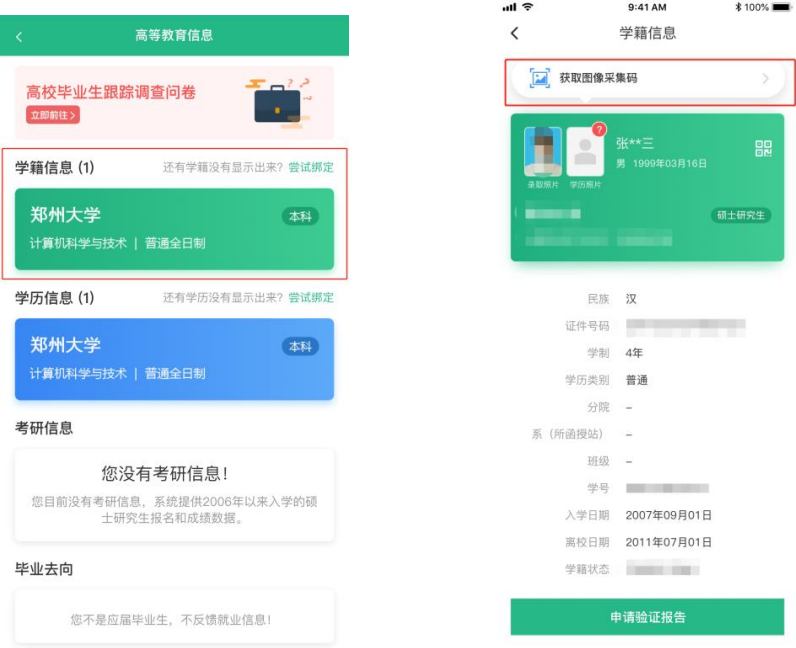
I. CHSI Archive (identical procedure on PC and mobile)
1.Register and log in to the CHSI website
(1)CHSI website URL:https://www.chsi.com.cn/
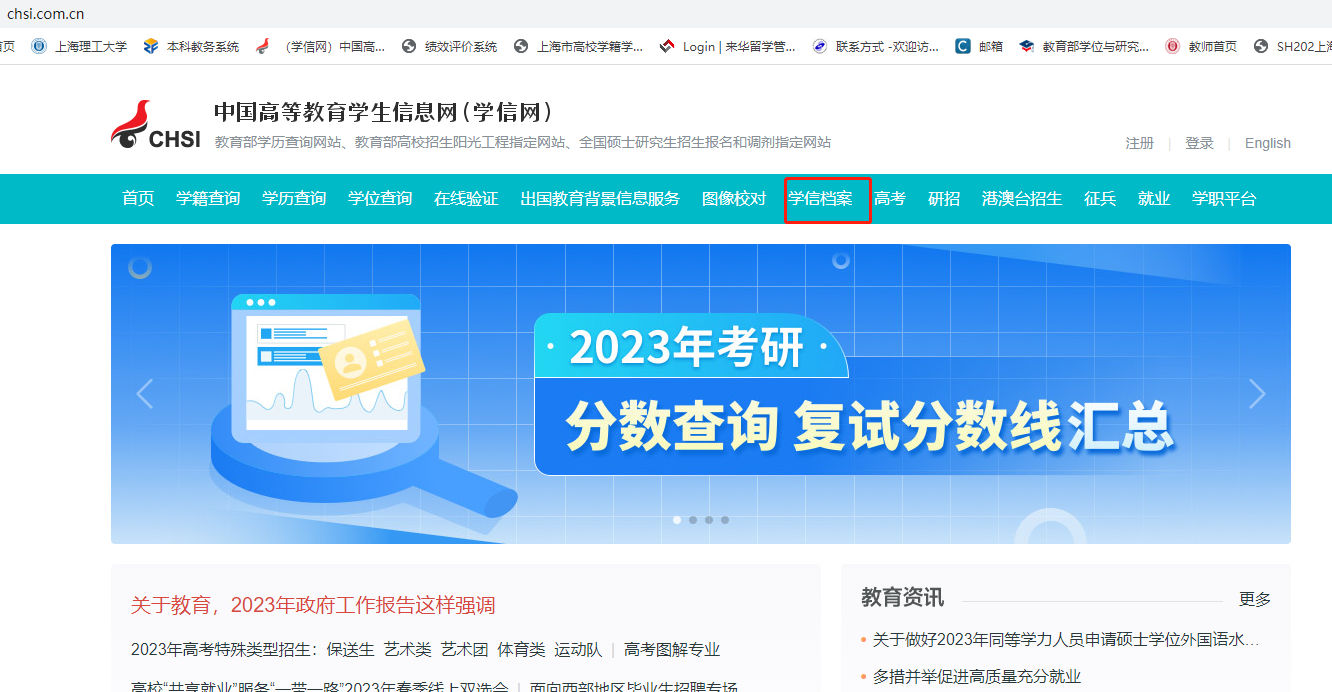
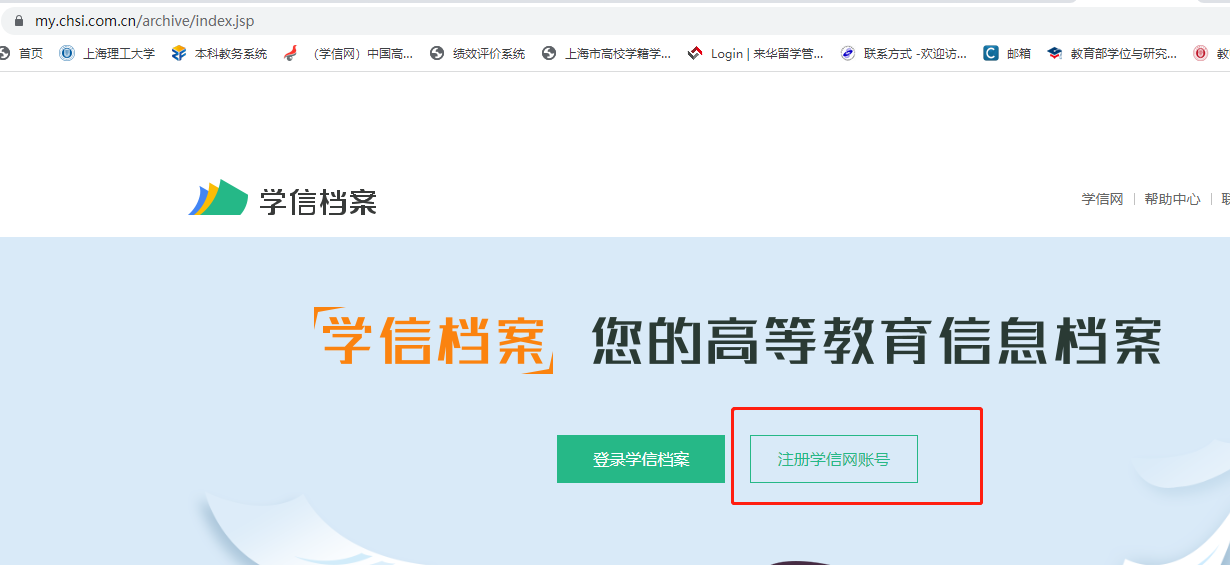
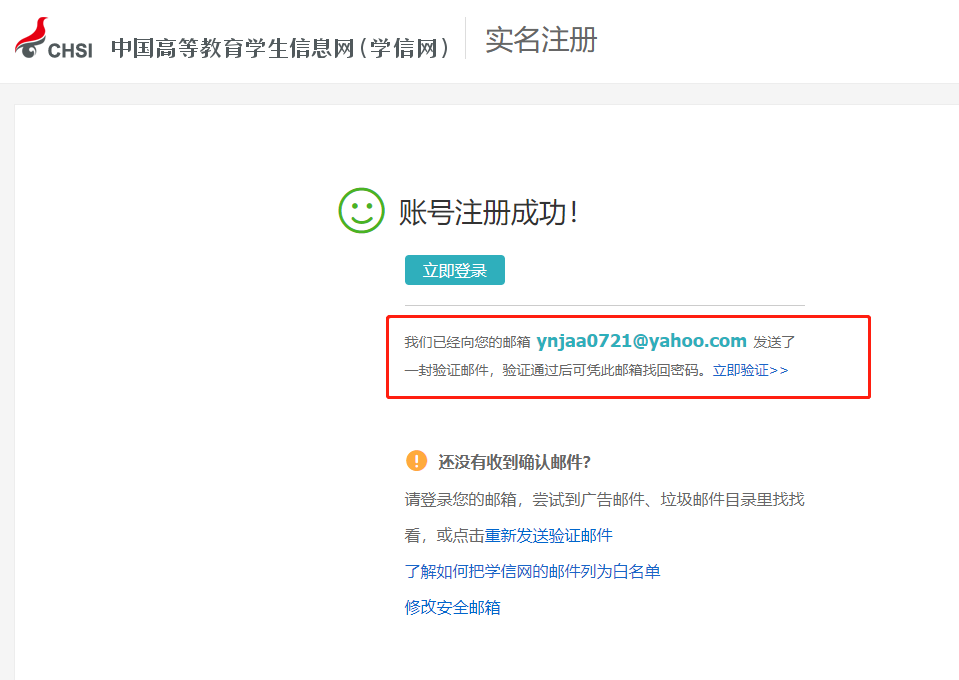
(2)Register an account
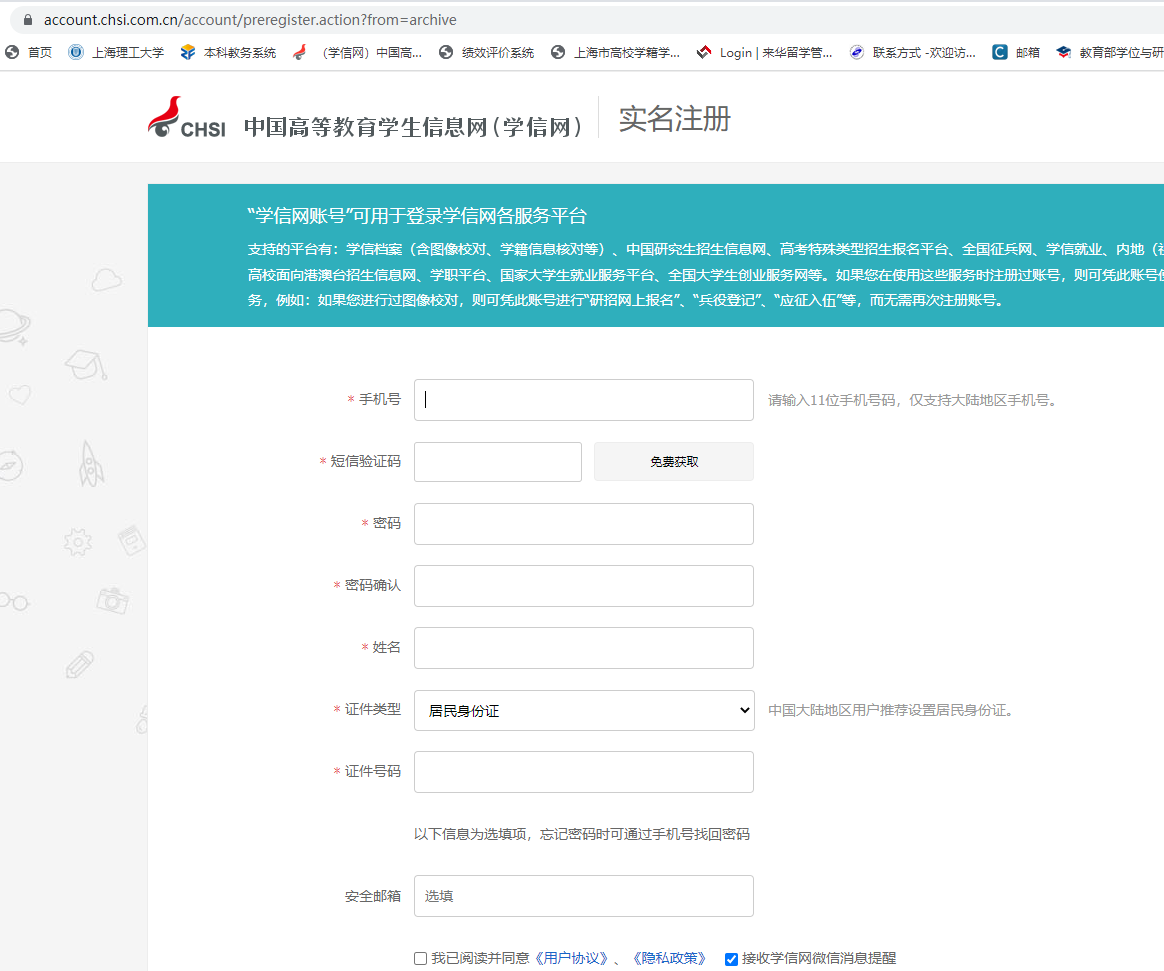
ID type: select Other
Full name: passport surname + a space + passport given name
e.g. ABBAS AMMAR AHMED NOMAN
(must match your passport exactly:
passport surname: ABBAS;
passport given name: AMMAR AHMED NOMAN)
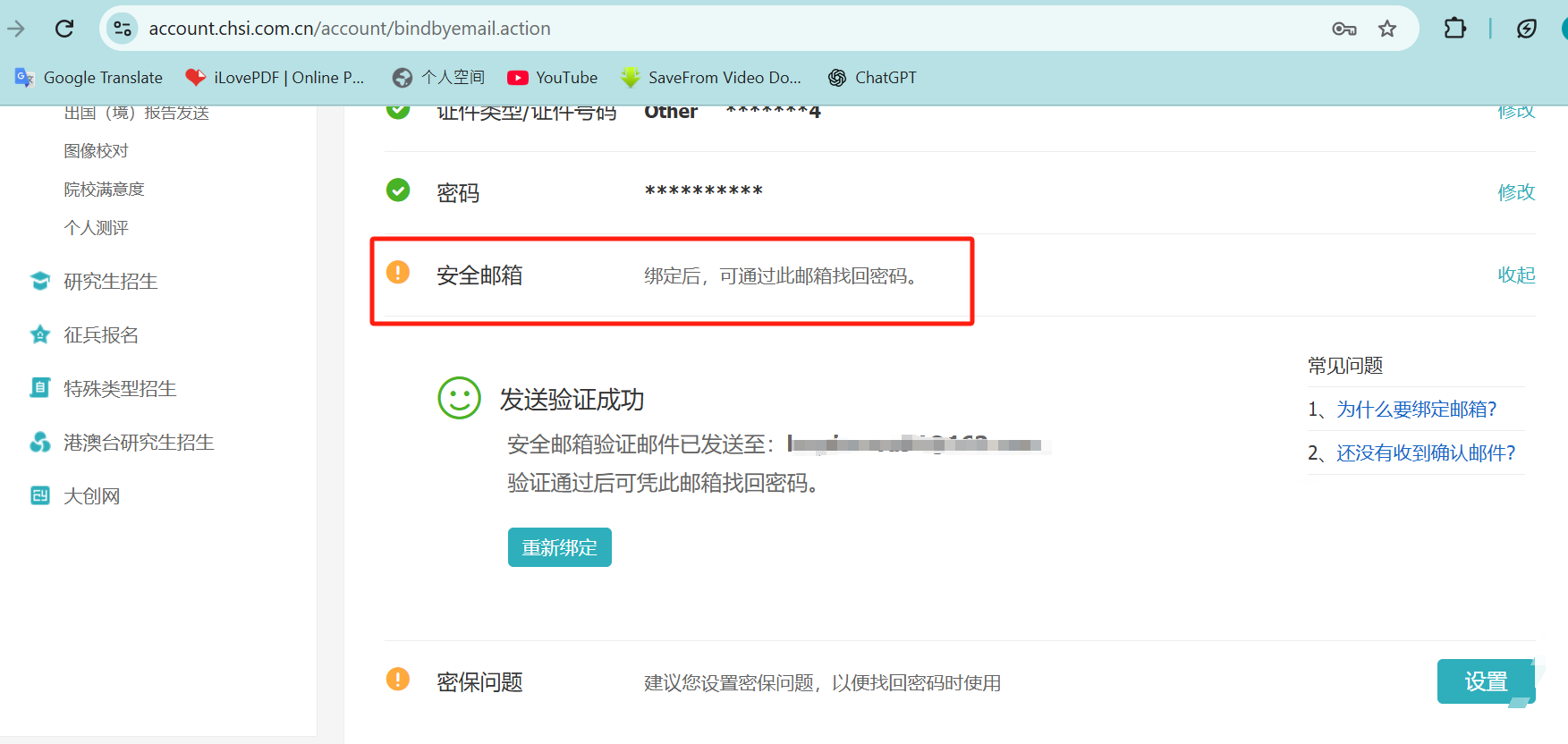
Security email is an optional field. If left blank, you will reset your password via mobile number;
if filled in, via security email.
Security email is strongly recommended.
Verify the email to compelete registration.
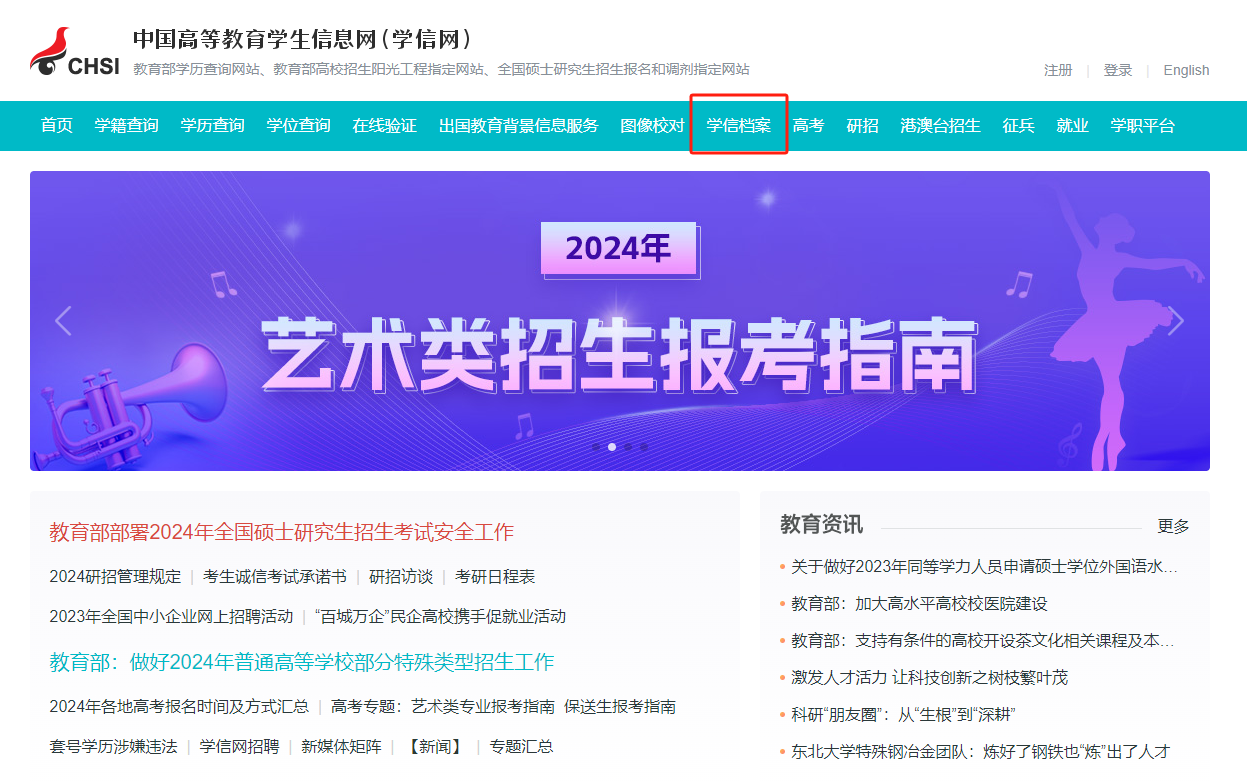
(3)Log in
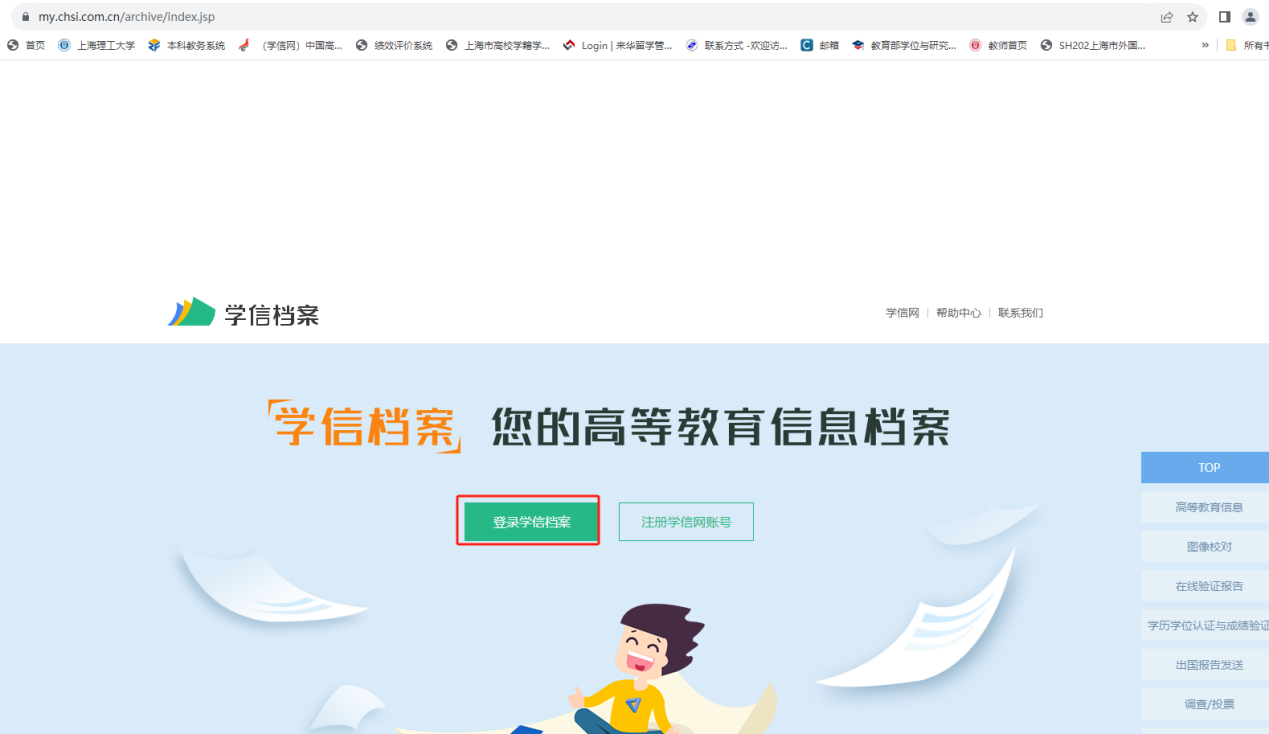
Note:If you are unable to log in, click [the link] to go to Account Management
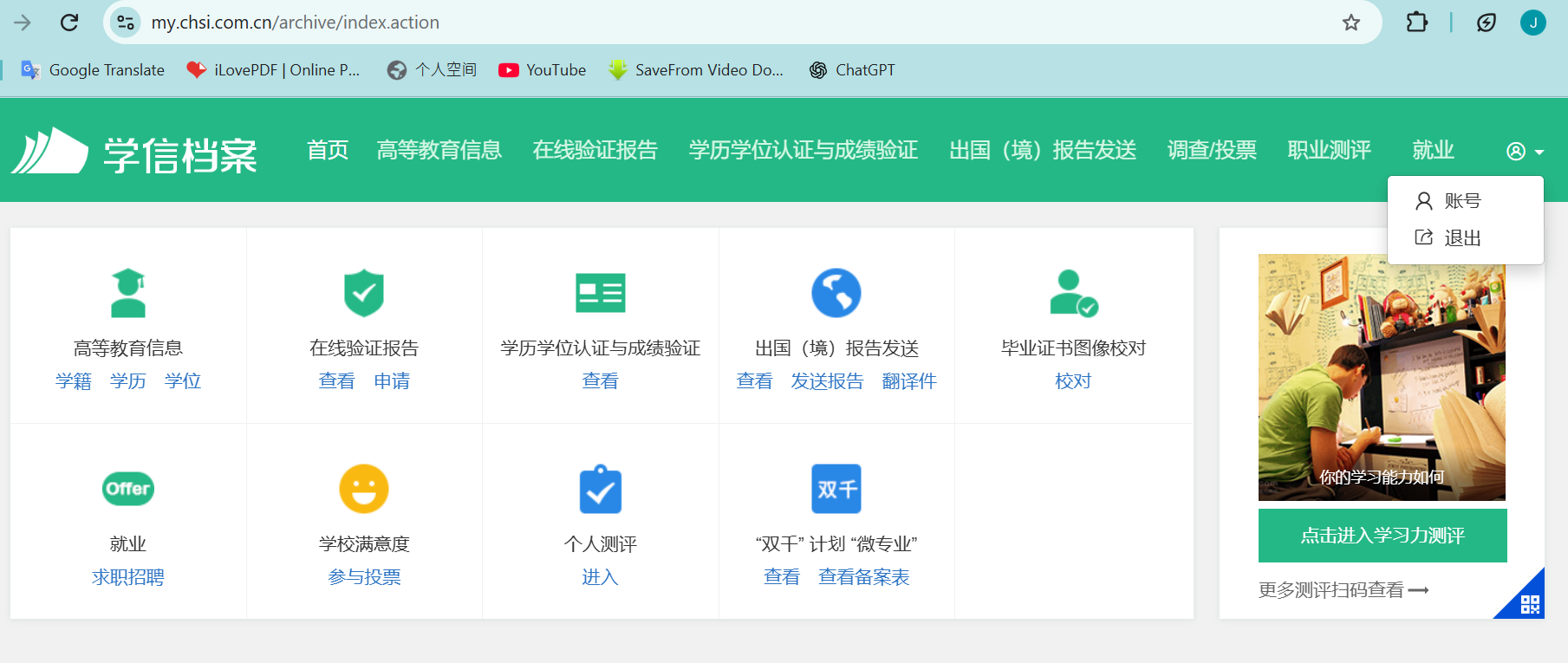
On the Profile page, you can change the information you provided at registration.
Including your name, nationality, ID number, and so on.
On the Profile page, you can also link an email address,
which makes it easier to reset your password.
If the problem persists, please contact CHSI:
Customer service hotline:010-67410388
Customer service email:kefu@chsi.com.cn
Contact for on-campus student record information:Ms. Hua
Pleasescan the QR code to add us on WeChat for consultation:

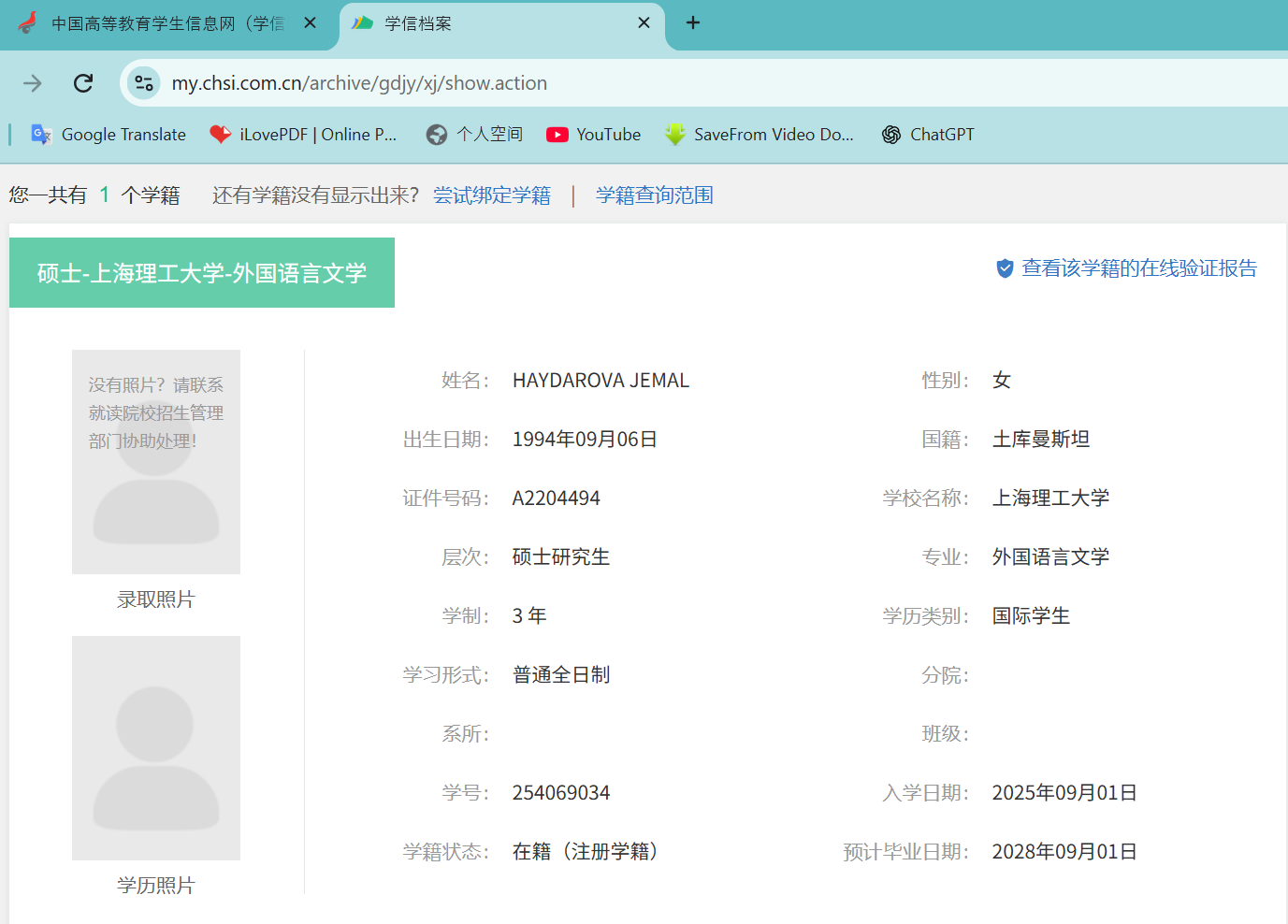
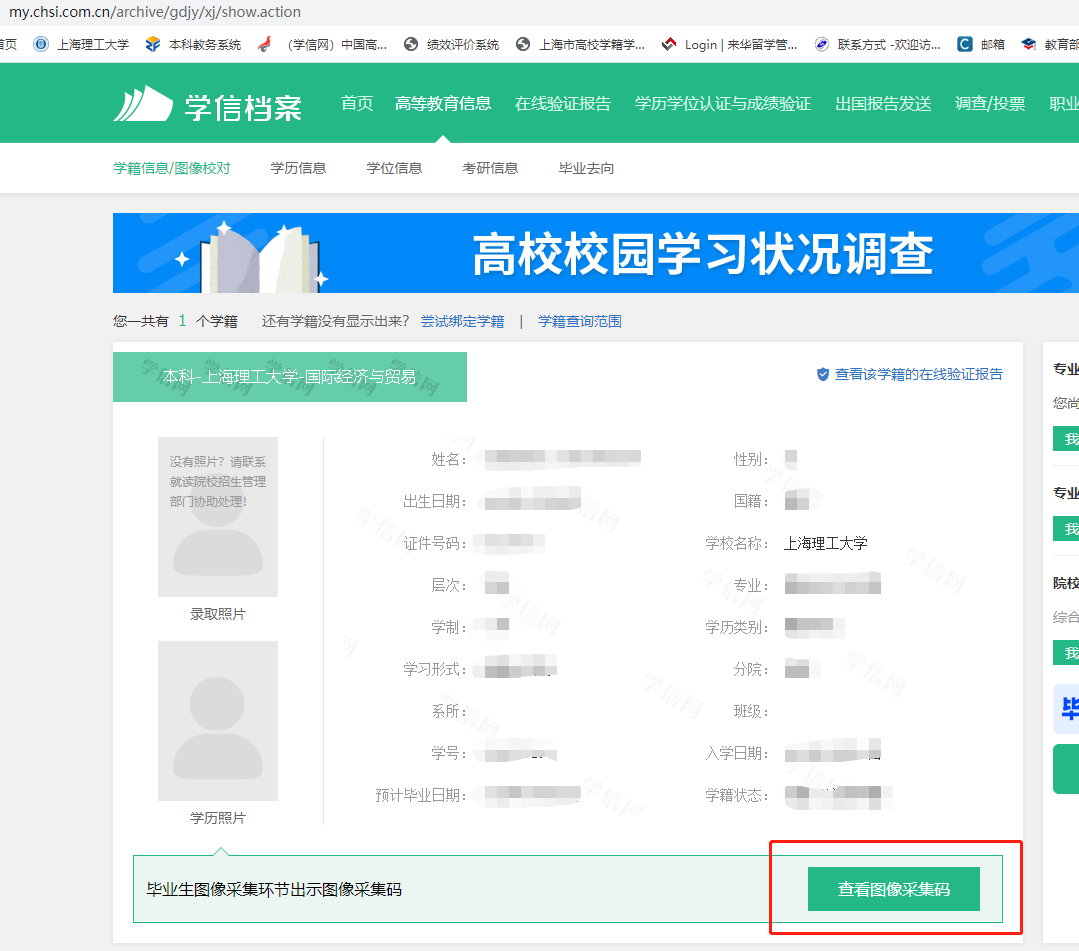
2.View your own record information
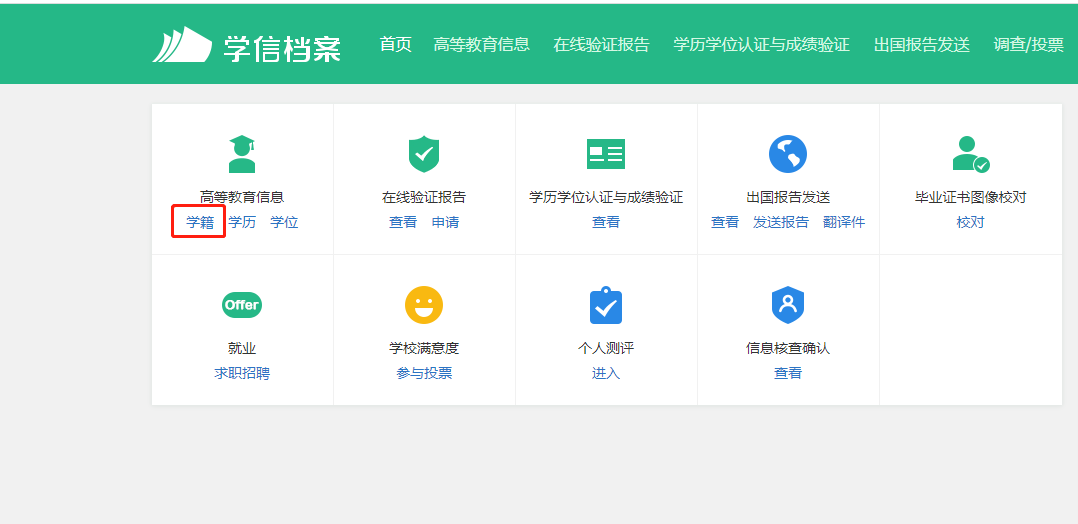
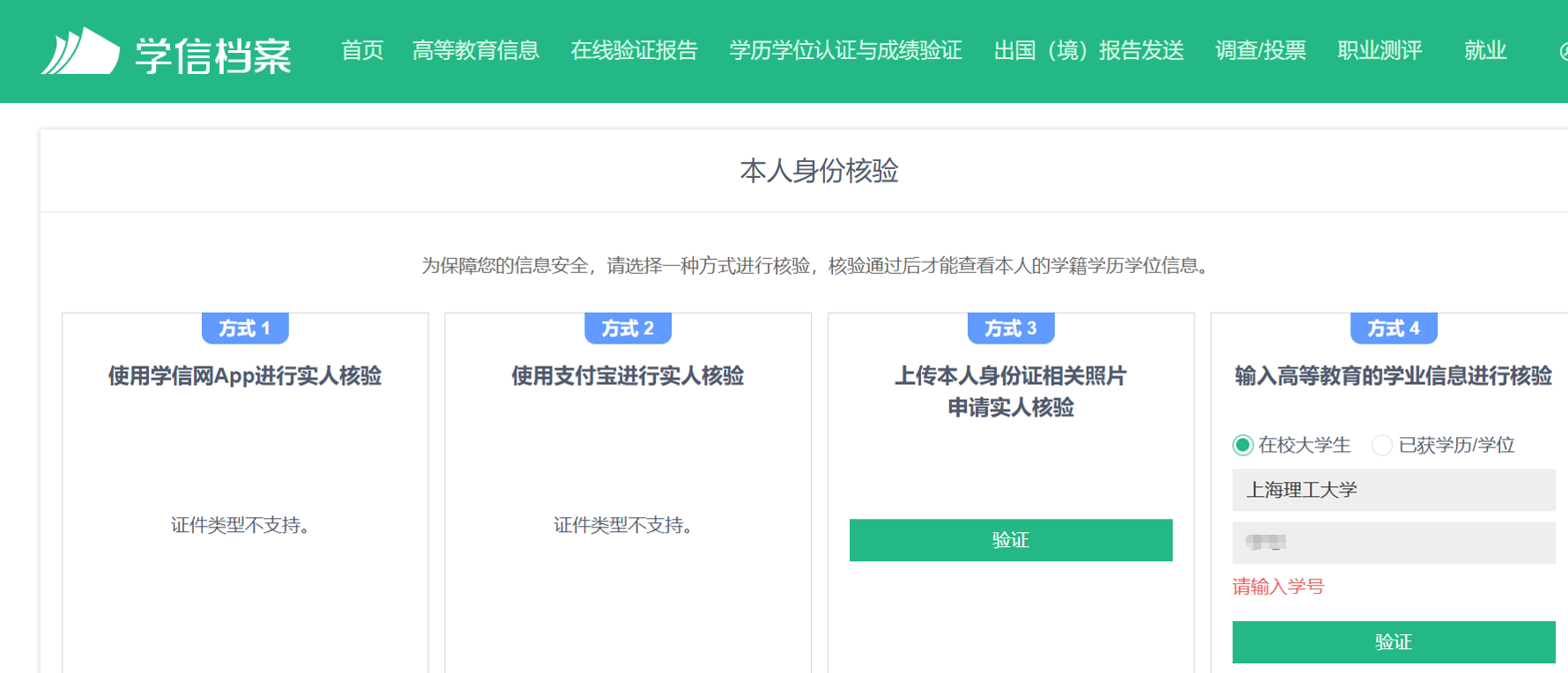
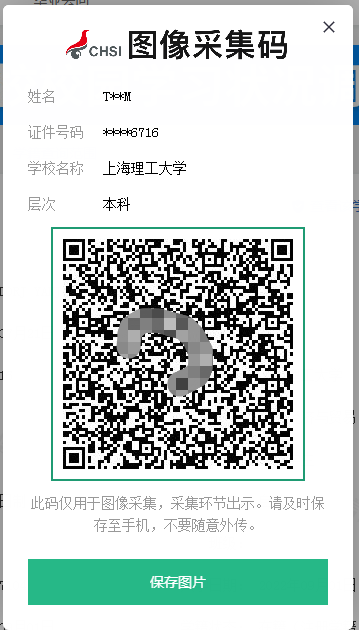
3.Select student record, then view the corresponding record code.
II. The “CHSI” WeChat Official Account
1.Follow the CHSI Official Account, link your CHSI account, tap “CHSI Account”,
and view your student record and qualification information.
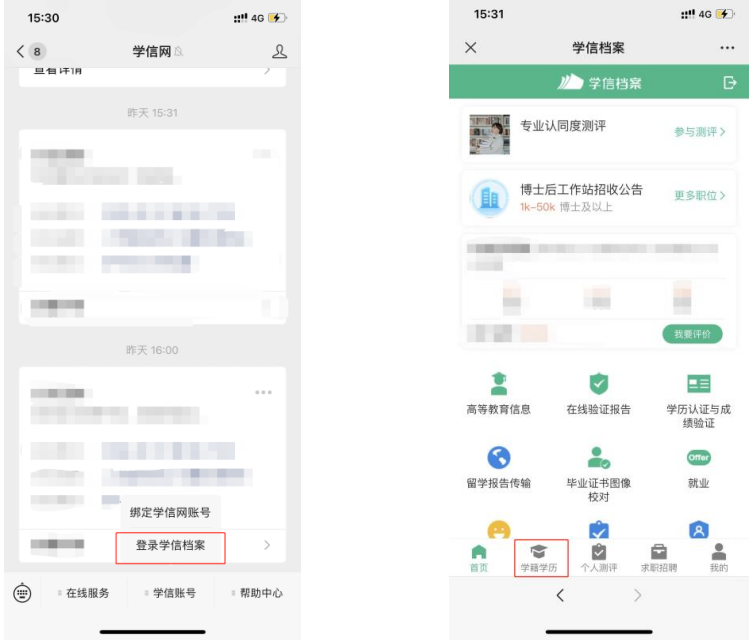
2.Select Student Record, then view the corresponding photo collection code.
III、CHSI APP
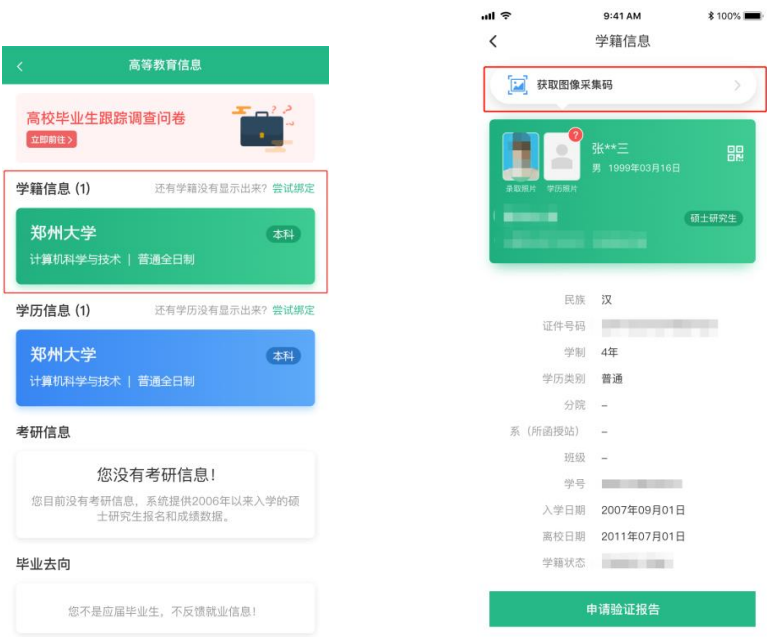
1. Log in to the CHSI App, tap “Student Record Inquiry”
view your student record and qualification information.
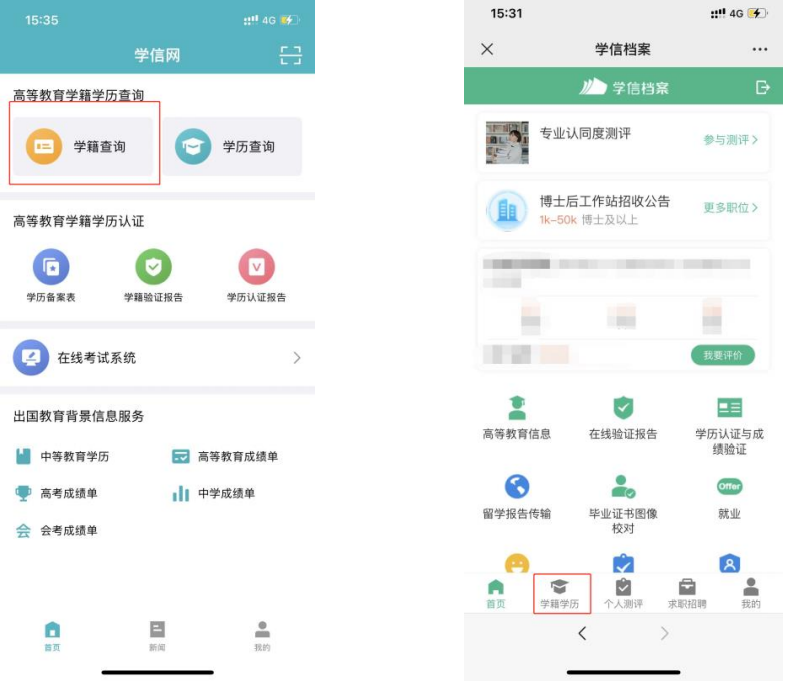
2.Select Student Record, then view the corresponding photo collection code